# How to add Bootstrap 5 in Next.js

Create next app:

To create a project, run:

```
npx create-next-app@latest
# or
yarn create next-app

```

If you want to start with a TypeScript project you can use the --typescript flag:


```
npx create-next-app@latest --typescript
# or
yarn create next-app --typescript
```

I am using


```
npx create-next-app@latest --typescript

```

Let's start it:

The first method you install, bootstrap 5, uses npm, npx, and yarn in your next js.

```
npm install bootstrap
or
yarn add bootstrap

```

**Import styles from node_modules:
**
After installation is complete, then import bootstrap CSS file into the next js custom pages/_app.tsx.

```
// add bootstrap 
import 'bootstrap/dist/css/bootstrap.css'

import '../styles/globals.css'
import type { AppProps } from 'next/app'

function MyApp({ Component, pageProps }: AppProps) {
  return <Component {...pageProps} />
}

export default MyApp
```
index.tsx

```
import type { NextPage } from 'next'
import Head from 'next/head'
import Image from 'next/image'
import styles from '../styles/Home.module.css'

const Home: NextPage = () => {
  return (
    <div className={styles.container}>
      <Head>
        <title>Create Next App</title>
        <meta name="description" content="Generated by create next app" />
        <link rel="icon" href="/favicon.ico" />
      </Head>

    <div className="container mt-3">
      <div className="row">
        <form>
          <div className="mb-3">
            <label htmlFor="exampleInputEmail1" className="form-label">Email address</label>
            <input type="email" className="form-control" id="exampleInputEmail1" aria-describedby="emailHelp"/>
            <div id="emailHelp" className="form-text">We'll never share your email with anyone else.</div>
          </div>
          <div className="mb-3">
            <label htmlFor="exampleInputPassword1" className="form-label">Password</label>
            <input type="password" className="form-control" id="exampleInputPassword1"/>
          </div>
          <div className="mb-3 form-check">
            <input type="checkbox" className="form-check-input" id="exampleCheck1"/>
            <label className="form-check-label" htmlFor="exampleCheck1">Check me out</label>
          </div>
          <button type="submit" className="btn btn-primary">Submit</button>
        </form>
      </div>
    </div>
    </div>
  )
}

export default Home

```

start dev server

```
yarn dev

```
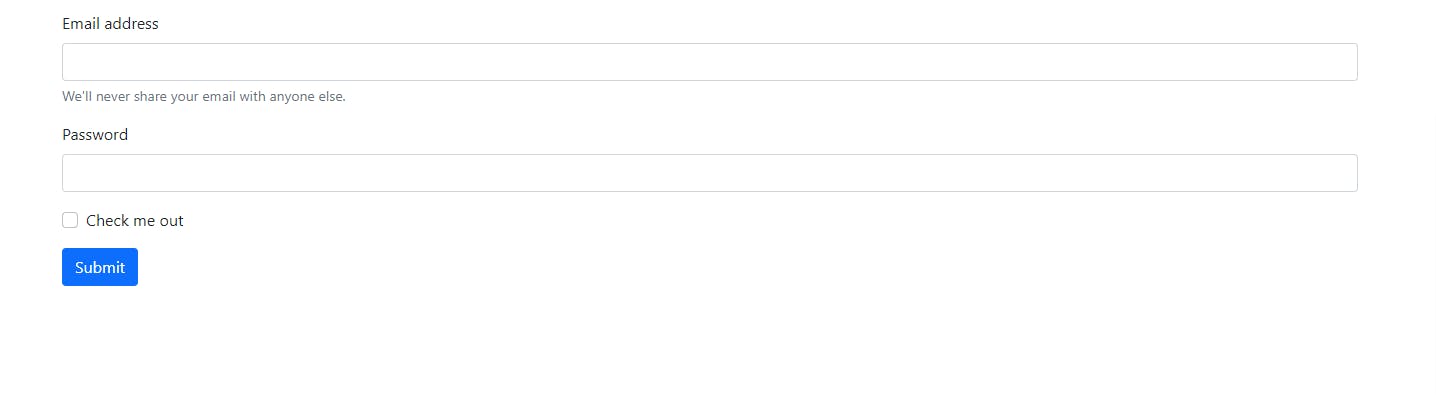
![UyUMm-EM5q.jpeg](https://cdn.hashnode.com/res/hashnode/image/upload/v1645201856139/P-A4DmWjc.jpeg)


